GPLMart Private Download Test
Original price was: ₺1,711.68.₺106.08Current price is: ₺106.08.

+91 7607404628
📌 GPL v2 Licensed — Enjoy lifetime access with unlimited domain usage. Automatic dashboard updates are provided for 1 domain for 1 year through the The GPL Mart Updater, with the option to renew update access annually.
📌 GPL v2 Licensed — Enjoy lifetime access with unlimited domain usage. Automatic dashboard updates are provided for 1 domain for 1 year through the The GPL Mart Updater, with the option to renew update access annually.
Explore the latest releases and updates.
Build Powerful WordPress Pages
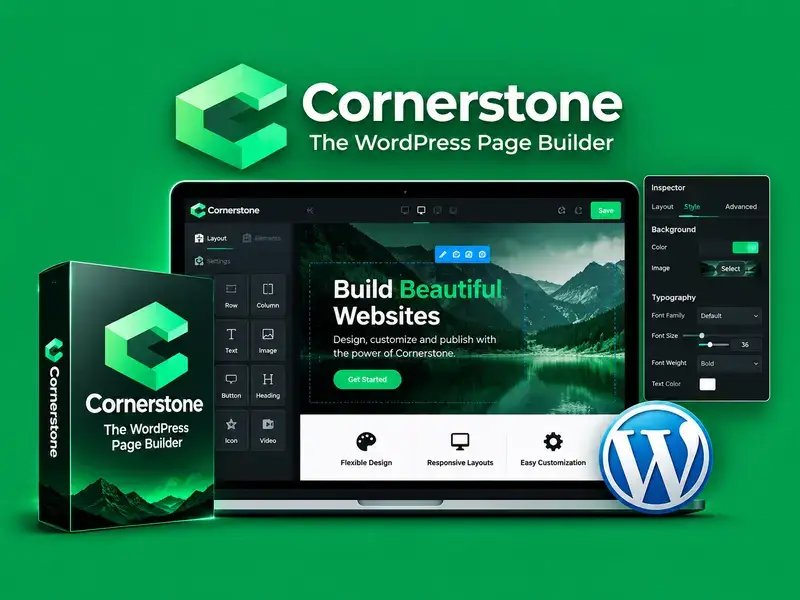
Cornerstone is a visual WordPress page builder designed to help you create beautiful, professional, and responsive websites with greater creative freedom.
It provides an intuitive visual editing experience that helps you design page layouts, customize content, and build engaging website sections without relying entirely on manual coding.
Visual Page Building
Create and customize page layouts using a visual editing workflow that makes it easier to control the structure, appearance, and presentation of your website.
Flexible Design Customization
Customize page elements, spacing, typography, colors, and layouts to create a consistent design that matches your website’s identity.
Designed for Modern Websites
Build website pages and content sections with responsive design considerations, helping your layouts adapt to different screen sizes.
Better Creative Workflow
Organize your page-building process and make design adjustments visually, helping you work more efficiently when creating or updating website content.
Flexible & Practical
Whether you’re building a business website, portfolio, landing page, blog, or online store, Cornerstone provides visual design tools to help shape your website experience.
Why Use Cornerstone?
Suitable For
Create beautiful WordPress pages with an intuitive visual editing experience.
Customize layouts, typography, colors, and spacing to match your brand.
Build engaging page sections designed for desktop, tablet, and mobile screens.
Get Started with Cornerstone
Install and activate Cornerstone according to the package instructions and the requirements of your WordPress setup.
Step 1 — Prepare Your Website
Confirm that your WordPress installation and required theme or plugin dependencies meet the package requirements.
Step 2 — Install the Package
Upload and install the supplied Cornerstone package using the installation method specified for your version.
Step 3 — Activate and Configure
Activate the product and complete any required setup or configuration steps.
Step 4 — Start Building
Open the supported page-building interface and begin creating or customizing your WordPress pages.
Step 5 — Preview Your Design
Review your layouts on desktop and mobile screen sizes before publishing your changes.
Note: Exact installation steps and compatibility requirements may vary by package version
What is Cornerstone, and what does it do?
Cornerstone is a visual page-building tool for WordPress that helps users create and customize website pages and layouts.
Is Cornerstone suitable for beginners?
Its visual editing workflow can help users create layouts without writing every design element manually. Familiarity with WordPress is still useful.
Do I need coding skills to use Cornerstone?
Basic page-building tasks can be completed visually. Advanced customizations may require HTML, CSS, or other technical knowledge.
Can I customize page layouts and styling?
Yes. Cornerstone is designed for visual page customization, including page structure and design elements supported by your installed version.
Is Cornerstone compatible with my WordPress theme?
Compatibility depends on your theme, Cornerstone version, and the product’s published requirements. Check these before installation.
Can I use Cornerstone to build landing pages?
Yes. Visual page-building tools are useful for arranging landing-page sections, content, and calls to action.
How do I get future updates?
Follow the update method and licensing terms provided with your specific product package.
Can I use Cornerstone for commercial websites?
Check the applicable product license and usage terms to confirm that your intended use is permitted.
Get unrestricted access to every single theme, plugin, and template on the network. Includes this item.