GPLMart Private Download Test
Original price was: ₹3,566.00.₹221.00Current price is: ₹221.00.

+91 7607404628
📌 GPL v2 Licensed — Enjoy lifetime access with unlimited domain usage. Automatic dashboard updates are provided for 1 domain for 1 year through the The GPL Mart Updater, with the option to renew update access annually.
📌 GPL v2 Licensed — Enjoy lifetime access with unlimited domain usage. Automatic dashboard updates are provided for 1 domain for 1 year through the The GPL Mart Updater, with the option to renew update access annually.
Explore the latest releases and updates.
Build Custom WordPress Websites
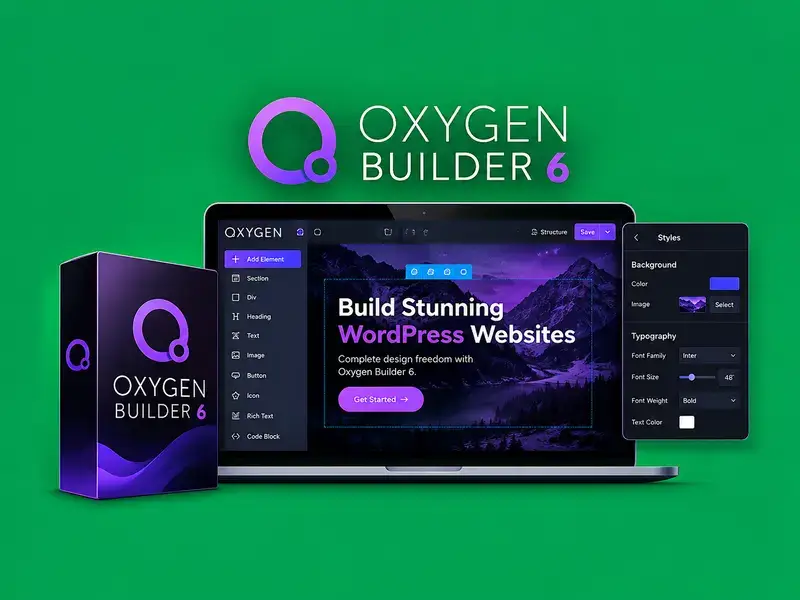
Oxygen Builder 6 is a visual website-building solution for WordPress designed to help you create customized page layouts and website designs with greater flexibility and control.
It provides a visual editing workflow that helps you structure content, style page elements, and create website experiences tailored to your project’s needs.
Visual Design Workflow
Build and customize website sections through a visual interface, making it easier to manage page structure and design elements.
Advanced Styling Controls
Customize typography, spacing, colors, and layout properties to create a consistent appearance across your website.
Flexible Layout Creation
Design custom page sections and content arrangements for business websites, portfolios, landing pages, and other WordPress projects.
Greater Design Freedom
Adjust individual design elements to achieve a more tailored website appearance without relying entirely on predefined layouts.
Efficient Website Development
Organize your design workflow and make visual adjustments as your website evolves, helping simplify ongoing page customization.
Why Use Oxygen Builder 6?
Create customized WordPress page layouts
Control visual styling and page structure
Design flexible website sections
Maintain consistent website presentation
Customize pages for different project requirements
Suitable For
Business Websites: Create tailored pages for businesses and services.
Landing Pages: Arrange content sections for focused campaigns.
Creative Projects: Build custom layouts for portfolios and other web projects.
Design custom WordPress pages with a flexible visual website-building workflow.
Customize layouts, spacing, typography, and styling for greater creative freedom.
Build tailored website sections and page designs to suit your project needs.
How do I get started with Oxygen Builder 6?
Prepare your WordPress website and follow the installation instructions supplied with your specific Oxygen Builder 6 package.
Step 1 — How do I prepare WordPress?
Check that your WordPress installation, theme setup, and server environment meet the product’s requirements.
Step 2 — How do I install the package?
Upload and install the supplied package using the installation method specified for your version.
Step 3 — How do I activate the product?
Complete any required activation or configuration steps according to your package instructions and applicable license.
Step 4 — How do I start building?
Open the supported visual editing interface and begin creating or customizing your website layouts.
Step 5 — How do I preview and publish my website?
Review your pages on desktop, tablet, and mobile screens before publishing your changes.
Are installation steps the same for every version?
Exact installation steps, activation requirements, and compatibility may vary by package version.
What is Oxygen Builder 6, and what does it do?
Oxygen Builder 6 is a WordPress website-building product designed to help users create and customize website layouts and visual designs.
Is this original and safe to use?
The authenticity and security of the supplied files should be verified before use. Always scan downloaded files and obtain them from a trusted source.
Do I need a separate license key to use this?
Activation and license requirements depend on the specific product package and its applicable license terms.
Can I use this product on multiple websites?
Usage across multiple websites depends on the applicable license terms and the conditions supplied with your product package.
How do I get future updates for this product?
Updated versions may be made available through your account when new versions are released, according to the package’s update policy.
Is this product compatible with the latest versions?
Compatibility depends on your WordPress version, hosting environment, theme, and other installed plugins. Test updates before deploying them on a live website.
Does this include pre-made templates and layouts?
Included templates and design resources depend on the specific product package and version.
Get unrestricted access to every single theme, plugin, and template on the network. Includes this item.