GPLMart Private Download Test
Original price was: $39.23.$2.43Current price is: $2.43.

+91 7607404628
📌 GPL v2 Licensed — Enjoy lifetime access with unlimited domain usage. Automatic dashboard updates are provided for 1 domain for 1 year through the The GPL Mart Updater, with the option to renew update access annually.
📌 GPL v2 Licensed — Enjoy lifetime access with unlimited domain usage. Automatic dashboard updates are provided for 1 domain for 1 year through the The GPL Mart Updater, with the option to renew update access annually.
Explore the latest releases and updates.
Build Custom WordPress Websites
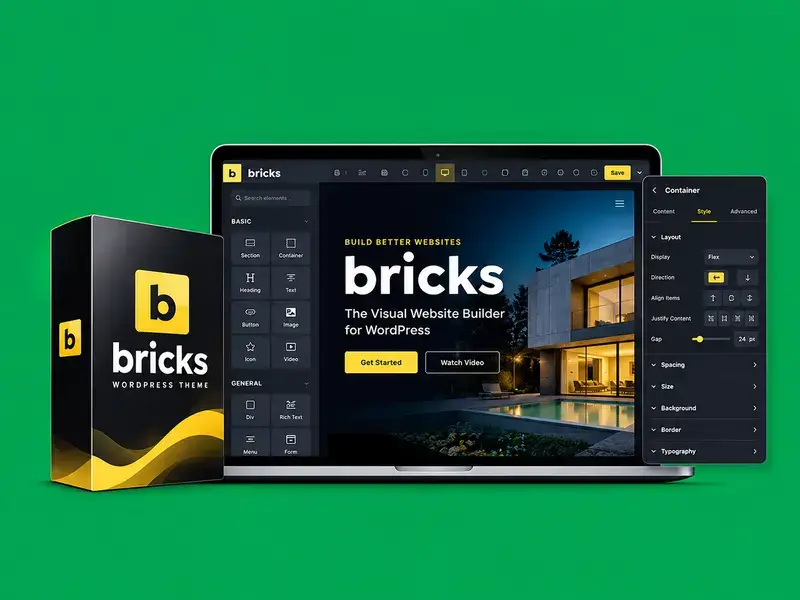
Bricks is a premium WordPress theme with a built-in visual website builder that helps you design and customize complete website layouts directly on your WordPress site.
Visual Website Building
Create pages, headers, footers, and website sections using a visual editing interface with flexible layout controls.
Advanced Design Customization
Customize typography, colors, spacing, layouts, and reusable design styles to maintain a consistent website appearance.
Responsive Design Controls
Adjust layouts for desktop, tablet, and mobile screens using responsive editing controls.
Clean Code Output
Bricks is designed to generate clean HTML and CSS, helping developers build maintainable and performance-focused websites.
Dynamic Content & Templates
Create reusable templates and display WordPress content dynamically using supported template and query tools.
Why Choose Bricks?
Suitable For
Build stunning WordPress websites with an intuitive visual editor.
Customize layouts, typography, colors, and responsive styles with ease.
Create lightweight, responsive websites with powerful design flexibility.
Install Bricks as a WordPress theme and follow the setup instructions for your specific product package.
Step 1 — Prepare WordPress
Confirm that your WordPress installation and hosting environment meet the requirements for your Bricks version.
Step 2 — Download the Theme
Obtain the Bricks theme ZIP package from the appropriate source for your product.
Step 3 — Install the Theme
In your WordPress dashboard, navigate to Appearance → Themes → Add New → Upload Theme. Select the Bricks ZIP file and click Install Now.
Step 4 — Activate Bricks
After installation, activate Bricks from Appearance → Themes to enable its theme and visual builder functionality.
Step 5 — Configure and Start Building
Open the Bricks menu, review the available settings, and start creating or customizing your website pages and templates.
Step 6 — Preview Your Website
Check your layouts on desktop, tablet, and mobile screens before publishing your changes.
Important Note: Bricks is installed as a theme, not as a regular WordPress plugin. License activation and update access depend on your package and applicable license terms.
What is Bricks, and what does it do?
Bricks is a WordPress theme with a built-in visual website builder for creating and customizing website layouts.
Is Bricks a theme or a plugin?
Bricks is a WordPress theme that includes its own visual website builder.
Do I need coding skills to use Bricks?
You can create many website layouts visually without coding. Advanced customization may require HTML, CSS, JavaScript, or PHP knowledge.
Can I use Bricks with my existing WordPress theme?
Bricks is designed to function as both the theme and builder, rather than as a page-builder plugin for unrelated themes.
Can I create responsive websites with Bricks?
Yes. Bricks provides responsive editing controls for adapting website layouts to different screen sizes.
Can I use Bricks with WooCommerce?
Yes. Bricks provides WooCommerce-building functionality for supported store, product, and shopping-page layouts.
How do I get future updates?
Update availability depends on your product package and license. Official Bricks updates and account features are managed through the Bricks account system.
Can I use Bricks on multiple websites?
Website usage and license activation depend on the applicable license plan and its terms.
Is Bricks compatible with the latest WordPress version?
Compatibility depends on your installed Bricks version, WordPress version, hosting environment, and other plugins. Review the current requirements and test updates before deploying them on a live website.
Does Bricks include pre-made templates?
Bricks provides ready-made templates and design resources that you can use as starting points and customize for your projects.
Get unrestricted access to every single theme, plugin, and template on the network. Includes this item.